Minecraft server hosting


Reliable, high-performance servers for SMPs, communities, events and creators. Pick your software, press start, and keep full control from the game panel.

Plans from
$4.00/mo
Software
Paper · Purpur · Vanilla · Fabric
Location
Dallas, US
PaperPurpurVanillaFabricForgeNeoForgeVelocity
DallasTexasPterodactylSSDJava 21
Per GB of RAM
$1/GB
every plan, every month
Starting price
$4
per month
Largest plan
16GB
4 plans to choose from
US location
1
Dallas, Texas

Hosting plans

Every plan runs the same platform and panel. Plans differ only in resources, so choose by player count and how heavy your plugins or mods are.

Server type
SuggestedCommunity SMP

Small SMP

Friends, family and first servers.

4GBRAM
CPU
2 vCPU
Storage
30 GB SSD
Players
1–10
$4.00per month
Order Small SMP
  • Vanilla or Paper survival
  • A handful of plugins
  • Lightweight Fabric packs

Community SMP

Recommended

Growing communities with a real plugin stack.

8GBRAM
CPU
3 vCPU
Storage
60 GB SSD
Players
10–30
$8.00per month
Order Community SMP
  • Paper or Purpur with 20+ plugins
  • Economy, claims, ranks
  • Medium modpacks

Large SMP

Busy public servers and larger modpacks.

12GBRAM
CPU
4 vCPU
Storage
90 GB SSD
Players
30–60
$12.00per month
Order Large SMP
  • Large Forge / NeoForge packs
  • Big pre-generated worlds
  • Heavy plugin setups

Event

Creator events, tournaments and launch days.

16GBRAM
CPU
6 vCPU
Storage
120 GB SSD
Players
60+
$16.00per month
Order Event
  • Short, high-traffic events
  • Minigames and custom maps
  • Streams with viewer joins

Included with every plan

  • Pterodactyl game panel
  • Console, file manager and SFTP
  • Any server jar or loader
  • Panel backups
  • DDoS protection
  • Upgrade at any time
Compare plans in detail

The platform

Minecraft cares about single-thread speed, fast disks and a stable connection. That's what we optimize for, so your TPS holds up when the server fills.

  • High-performance CPUs

    Minecraft leans on single-thread speed. Servers run on modern server CPUs with the per-core performance the main thread depends on.

  • SSD storage

    Every server runs on SSD-backed storage for quick chunk loading, world saves and backups.

  • DDoS protection

    Network-level filtering in front of every server, so an attack on one player doesn’t take everyone offline.

  • Backups

    Create backups from the panel before big changes, then restore or download them whenever you need.

  • Instant deployment

    Your server is provisioned automatically after checkout. Pick a jar, press start, share the IP.

  • Any jar, any version

    Switch between Paper, Purpur, Fabric, Forge, vanilla or your own jar from the panel, and change Minecraft versions whenever you like.

How it works

  1. 01

    Choose a plan

    Pick a size in the client area. Start small; you can upgrade later without moving your world.

  2. 02

    Pick your software

    Choose Paper, Purpur, Fabric, Forge or vanilla, and the Minecraft version you want.

  3. 03

    Press start

    Your server boots in its own container with dedicated resources. Watch it live in the console.

  4. 04

    Invite your players

    Share the address or point your own domain at it. Add plugins and mods whenever you like.

Minecraft support

You don't need to install Java, write systemd units or open firewall ports. Choose your server software from the panel and you're ready to play.

  • Pick server software and Minecraft version from the panel
  • Switch Java versions to match your jar
  • Java Edition, with Bedrock crossplay via the Geyser plugin
  • Plugin and mod folders ready out of the box
Server softwareType
  • PaperThe go-to for SMPs. Fast, stable and compatible with Bukkit and Spigot plugins.Plugins
  • PurpurA Paper fork with hundreds of extra gameplay and config options.Plugins
  • VanillaThe official Mojang server, for a pure survival experience.Vanilla
  • FabricLightweight loader for performance mods and modern modpacks.Mods
  • ForgeThe classic loader behind most large modpacks.Mods
  • NeoForgeThe community fork of Forge used by many newer packs.Mods
  • VelocityModern proxy for linking several servers into one network.Proxy
  • Custom jarUpload your own jar and point the startup setting at it.Vanilla

Game panel

Start, stop and configure your server from the browser. No SSH, no guesswork. Changes apply the moment you save.

Open the Game Panel
survival-smpRunning
  1. [18:02:11 INFO] Done (4.21s)! For help, type "help"
  2. [18:04:37 INFO] cherryfan joined the game
  3. [18:05:02 INFO] <cherryfan> anyone up for the end?
  4. [18:05:40 INFO] redstone_rae joined the game
  5. > whitelist add sam_mines
  6. [18:06:12 INFO] Added sam_mines to the whitelist
  7. > save-all
  8. [18:06:20 INFO] Saved the game
> Type a command…

Illustrative mockup. The live panel may look different.

Server locations

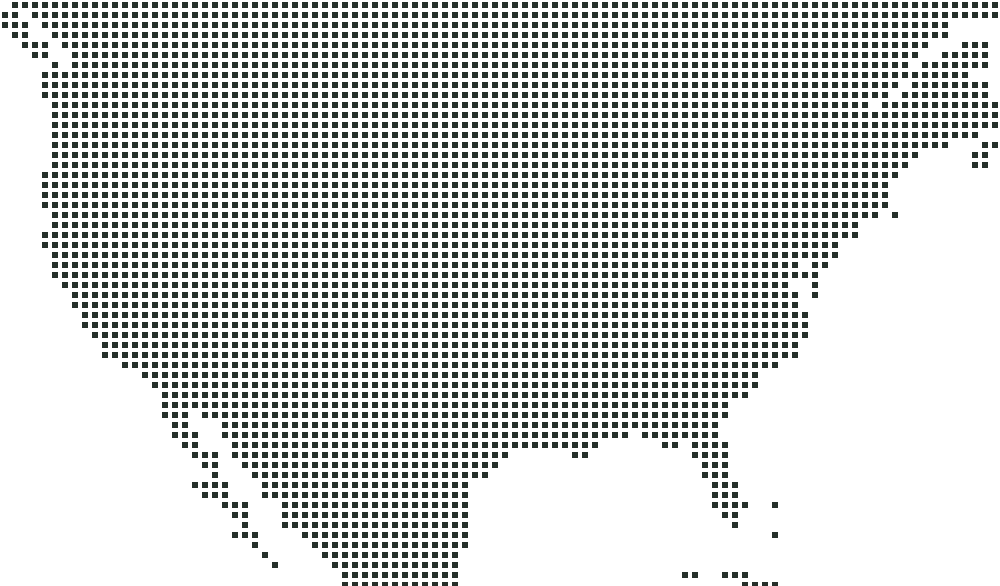
Your server runs in Dallas, Texas, in the middle of the country, so players on both coasts are a similar distance away.
United States

  • DallasTexasAvailable

Need a region we don't list yet? Let us know. Demand decides where we expand next.

Why Cherry Hosting

  1. 01

    Performance

    Resources sized for real Minecraft workloads, so TPS stays steady when the server fills up.

  2. 02

    Simplicity

    Clear plans, a clean panel and sensible defaults. No VPS setup, no Linux required.

  3. 03

    Control

    Console, files, SFTP, startup flags and jar selection. It’s your server — configure it how you like.

  4. 04

    Minecraft-first

    Everything from the templates to the support team is focused on one game.

  5. 05

    Straightforward pricing

    One monthly price per plan. Upgrade when you outgrow it. No hidden setup fees.

  6. 06

    Support

    Help from people who run Minecraft servers themselves.

FAQ

Can't find what you're looking for? Our team can help you pick a plan or get set up.

Contact support
How quickly is my server deployed?
Servers are set up automatically once your payment clears, which usually takes a few minutes. You’ll get an email with your panel login and server address.
What Minecraft versions are supported?
Any Java Edition version your chosen server software supports, from old releases to the latest snapshot. You can switch versions from the panel at any time. Make a backup first, because downgrading a world can corrupt it.
Can I install plugins and mods?
Yes. Upload plugins to Paper or Purpur, or mods to Fabric, Forge or NeoForge, using the file manager or SFTP. Modpacks work the same way.
Can I upload a custom server jar?
Yes. Upload your jar and select it in the startup settings. You can also change the Java version and startup flags.
Do you provide DDoS protection?
Yes. Every server sits behind network-level DDoS filtering at no extra cost.
Can I upgrade my plan?
Yes. Upgrade from the client area and your server moves to the new resources. Your files and worlds stay as they are.
Do you provide backups?
Yes. You can create, download and restore backups yourself from the panel. We recommend taking one before updating Minecraft or adding big plugins.
Where are your servers located?
Servers are currently available in Dallas, United States. Pick the location closest to most of your players.
Can I use my own domain?
Yes. Point an A record (plus an SRV record if you aren’t on port 25565) at your server address, and players can join with play.yourdomain.com.
How do I access my server?
Log in to the game panel with the account you created at checkout. Everything is managed there: console, files, backups and settings. Use SFTP for bulk uploads.

Plans start at $4.00/month. Choose a size, pick a location and start building.